 Official StreamElements Importer
Import from StreamElements
Move your StreamElements setup into Lumia Stream without rebuilding everything from scratch.
 StreamElements
- Overlays28 items
- Alerts42 items
- Commands37 items
- Timers15 items
- Loyalty12 items
- Variables24 items
 Lumia Stream
- OverlaysNative layers
- AlertsLumia alerts
- CommandsChatbot commands
- TimersAutomations
- LoyaltyViewer data
- VariablesLive counters
Importer steps
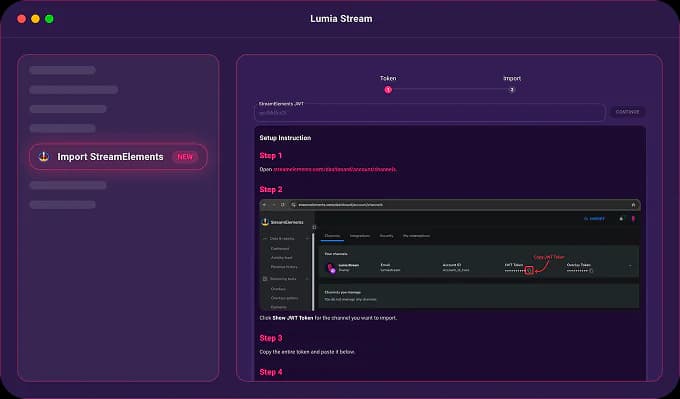
Open the importer and enter your token
Start from the StreamElements import page inside Lumia Stream, then paste your StreamElements JWT so Lumia can read your channel data for the migration.
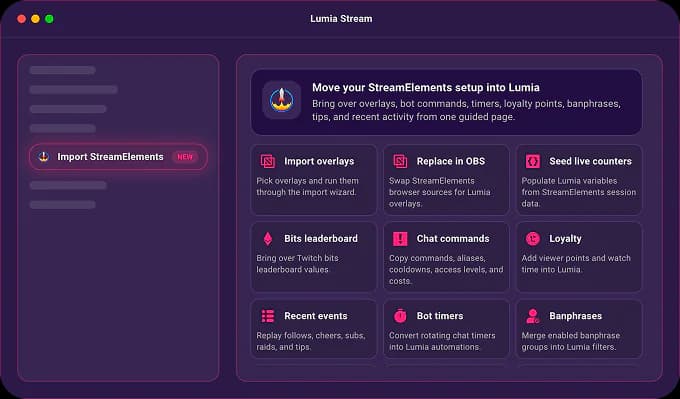
What the importer does
Overlays
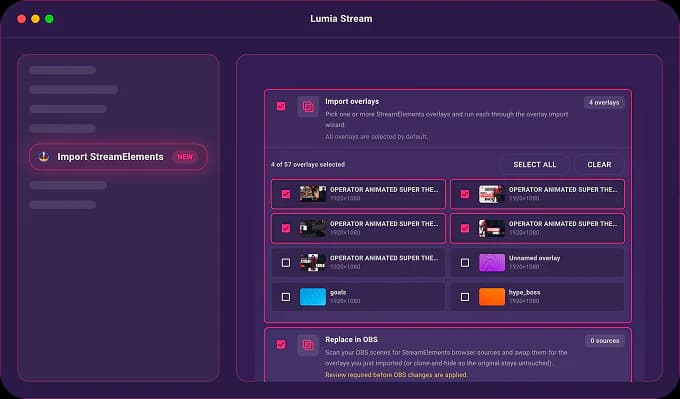
Overlay imports turn StreamElements scenes into native Lumia overlays while preserving layout, layer order, groups, supported widgets, and mirrored media assets.
- ✓Import one overlay or several overlays at once.
- ✓Create each selected overlay as its own Lumia overlay.
- ✓Preserve supported widgets, media, canvas sizing, and layer structure.
Ready to move your setup?
Open Lumia Stream, connect StreamElements once, then choose exactly which parts of your channel setup you want to import.
Need the token? The importer walks you through StreamElements dashboard access, or you can open StreamElements channel settings and copy your JWT from there.